drone-agent
The drone-agent is an autonomous system designed for drone control and operation. It leverages generative AI, specifically combining Hugging Face's smolagents and Google Gemini, to achieve this autonomy. The agent is primarily written in Python and focuses on agentic AI applications within the drone domain. It offers a potential solution for automating drone tasks and enhancing their capabilities. Developers interested in integrating AI into drone systems would find this agent useful.
This agent solves the problem of manual drone control by automating tasks through generative AI. Users would benefit from reduced operational workload and potentially increased efficiency compared to traditional manual piloting.
CAPABILITIES & CONSTRAINTS
USE CASES
README
# DroneAgent DroneAgent - drone autonomy powered by Generative AI <div align="center"> <img src="drone_agent.jpg" alt="Description" width="500" height="500"> </div> ## Features - Flying drone fully controlled via Gemini LLM-powered AI agent built using smolagents library (0 human control) - As input agent receives a text description of the mission and then tries to execute it - Agent can do basic actions (take off, land, basic movement around) as well as more complex tasks (navigating in the environment, finding things in the surrounding environment - see demo below) - Agent receives photos from the drone camera at each step of the mission - Basic agent observability (via `LangFuse`) and terminal logs ## YouTube Demo **Drone mission:** `Find something I can eat and get closer to it` After exploring the room around, the drone lands in front of a table with a basket of fruits. Full video with DroneAgent "thinking" process. [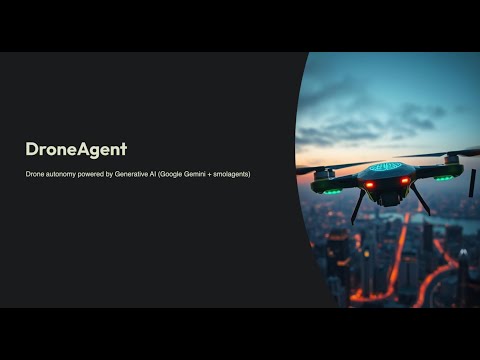](https://www.youtube.com/watch?v=YPV-6XslETc) ## Prerequisites 1. [DJI Tello drone](https://store.dji.com/product/tello/) 2. Cable internet connection (since WiFi will be used by the drone) 3. [Google Gemini Developer account](https://ai.google.dev/) 4. [uv](https://docs.astral.sh/uv/) python package and project manager ## Installation 1. Clone the repository: ```bash git clone https://github.com/VladKha/drone-agent.git cd drone-agent ``` 2. Install [uv](https://docs.astral.sh/uv/getting-started/installation/) 3. Set up the Python venv (using Python 3.12): ```bash make create_venv ``` 4. Install the required packages: ```bash make install_requirements ``` ## Environment Variables Create a `.env` file in the root directory from `.env.example` file and add all required environment variables: - `GOOGLE_API_KEY` from [AI Studio](https://ai.google.dev/gemini-api/docs/api-key) - `LANGFUSE_SECRET_KEY`, `LANGFUSE_PUBLIC_KEY`, `LANGFUSE_HOST` from [LangFuse](https://langfuse.com/docs/get-started) ## How to Run 1. Turn on and connect to your DJI Tello drone via WiFi 2. Connect to the internet via cable 3. Run the agent: `make run_app` ## Technologies Used - **Python 3.12** - **[smolagents](https://github.com/huggingface/smolagents)**: agent framework - **[Google Gemini](https://ai.google.dev)**: LLM for agents "brains" - **[DJITelloPy](https://github.com/damiafuentes/DJITelloPy)**: DJI Tello drone python interface - **[LangFuse](https://github.com/langfuse/langfuse)**: LLM observability - **[dotenv](https://github.com/theskumar/python-dotenv)**: managing environment variables - **[tenacity](https://github.com/jd/tenacity)**: retrying failed requests
PUBLIC HISTORY
IDENTITY
Identity inferred from code signals. No PROVENANCE.yml found.
Is this yours? Claim it →METADATA
README BADGE
Add to your README:
